

Stitch by Google — A new era for designing UIs faster and smarter

My name is Priyanka Sharma, commonly referred to as lassiecoder within the tech community. With ~5 years of experience as a Software Developer, I specialize in mobile app development and web solutions. My technical expertise includes: – JavaScript, TypeScript, and React ecosystems (React Native, React.js, Next.js) – Backend technologies: Node.js, MongoDB – Cloud and deployment: AWS, Firebase, Fastlane – State management and data fetching: Redux, Rematch, React Query – Real-time communication: Websocket – UI development and testing: Storybook Currently, I'm contributing my skills to The Adecco Group, a leading Swiss company known for innovative solutions.
Design it. Build it. All at once — with Stitch.
Google just dropped Stitch, and it’s about to change the way we build and design user interfaces. If you’re a designer or developer, you know the pain of translating those beautiful Figma mockups into real, functional code. It’s often tedious, error-prone, and time-consuming.
That’s exactly the problem Stitch is trying to solve.
What is Stitch?
At its core, Stitch is an experimental UI design tool developed by Google. It’s built to bridge the gap between design and code — and I’m not just talking about better handoff tools. Stitch actually lets you design interfaces that are powered by real, live code from the get-go.
Imagine designing a UI and seeing how it behaves immediately, with live data and interactions baked in — that’s Stitch.
And here’s something even cooler: you can use AI prompts to generate your designs. You just type what you want, and Stitch helps create the layout.
Start with AI — Choose how you want to design
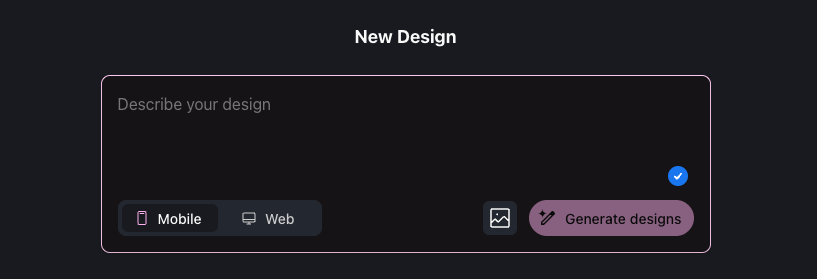
When you first open Stitch, you’re greeted with two modes:
Standard mode — Just type your prompt (e.g., “Create a mobile login screen with Google button”) and Stitch instantly generates a layout.
Experimental mode — Want more creative control? Here, you can add an image as inspiration, along with your prompt. Stitch uses both to generate a design that captures your vision.
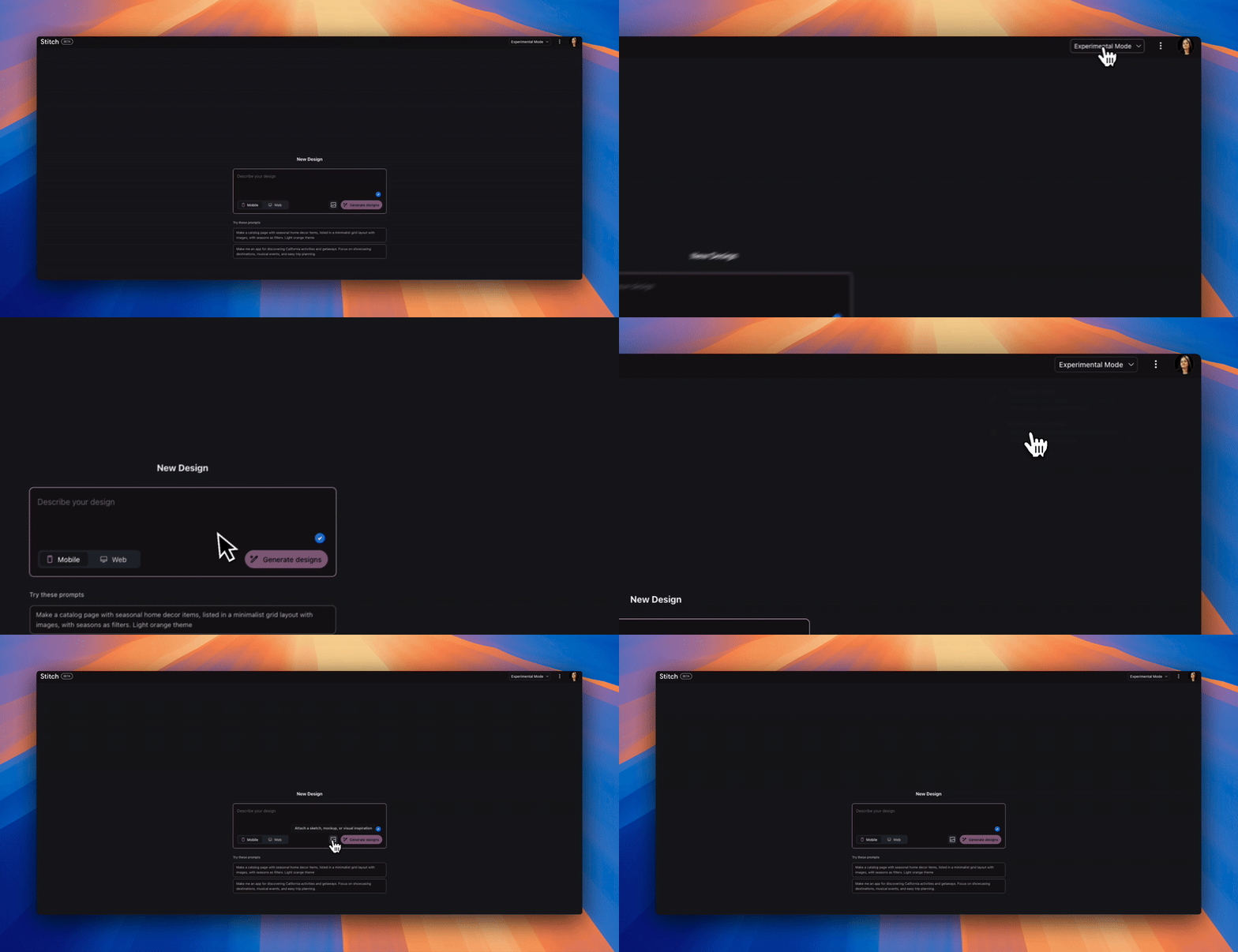
How Does Stitch Work?
Stitch is built on four main pillars:
Composable design
Fully customizable themes
Live components
Export to Figma & editable code
Let me break those down, plus the extra features that make it super flexible.
1. Composable design
Instead of static design elements, everything in Stitch is a component that can be reused and restructured. You can build small components (like buttons, input fields) and then compose them into more complex UIs — all while keeping them connected to actual logic and data.
You can even choose your target platform — mobile or web — right at the start.
2. Fully customizable themes
Want light mode? Dark mode? Rounded corners? Your favorite font?
Stitch has it all.
There’s an Edit theme option where you can:
Switch between light and dark appearance
Adjust corner radius and fonts
Pick your brand colors or any custom palette
This makes it super easy to keep everything on-brand — or experiment with new visual directions.
3. Live components
You’re not just mocking data or interactions. In Stitch, components are live — they fetch real data, respond to user inputs, and behave like they would in production. That means you can actually see how your design will work as you build it.
Connect a list component to real-time data and watch it update live — no lorem ipsum here.
4. Export to Figma & editable code
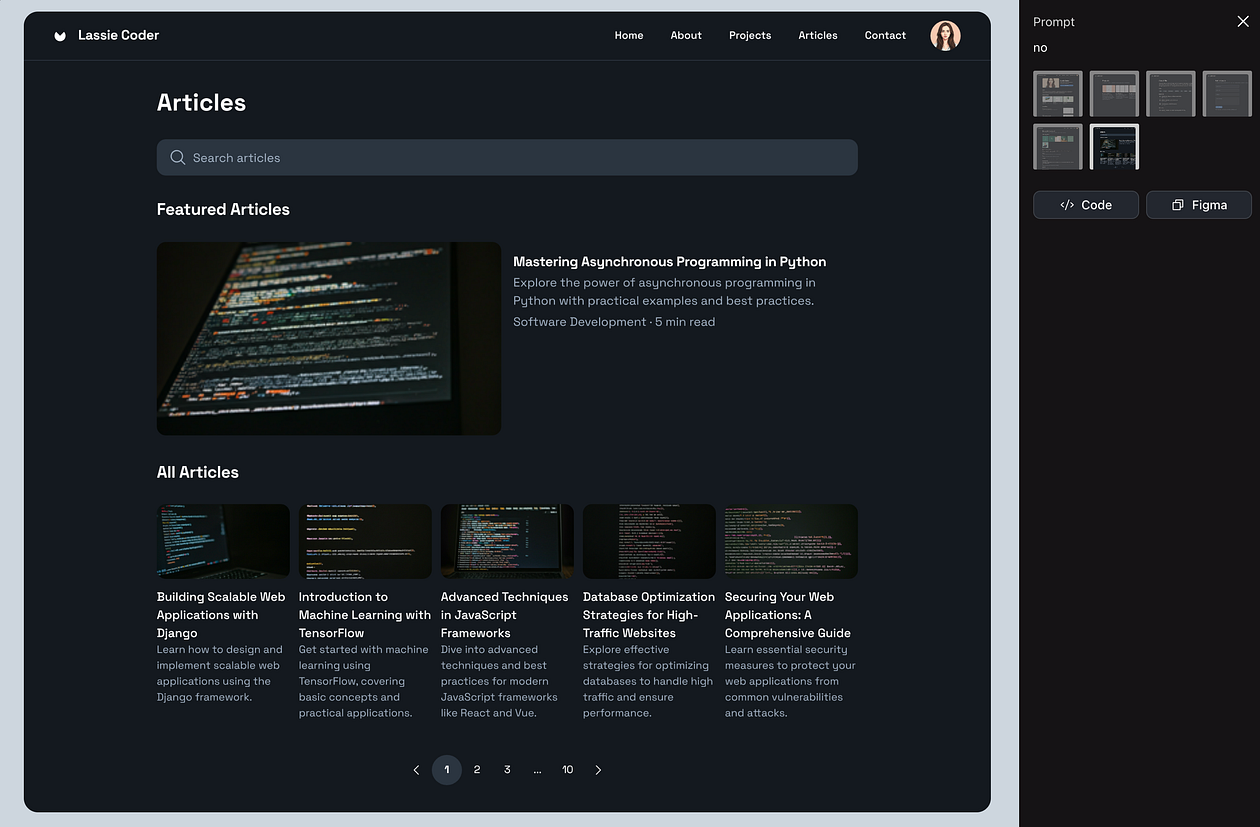
Once you’re happy with your layout, Stitch lets you do two powerful things:
Export your designs directly to Figma — super useful for teams still iterating visually
Get the code — you can copy and plug it straight into your project
The exported code is clean and editable, so developers can jump right in and customize it further.
Why it matters?
If you’ve ever gone through the loop of design → prototype → build → QA → fix → repeat, you know how long it takes to ship something simple. Stitch promises to cut that loop dramatically.
It’s not just about faster design — it’s about designing things that work correctly from day one.
And with features like AI-powered prompts, export options, and full theme control, it’s both flexible and intelligent — giving you more creative control without slowing you down.
Who is it for?
Right now, Stitch is experimental, but it’s clearly targeting:
Designers who want more control and visibility into how their designs behave
Developers who are tired of translating designs into code manually
Product teams that want to iterate faster and with fewer surprises
If that sounds like you, definitely try out Stitch at stitch.withgoogle.com.
Final thoughts
What I really love about Stitch is that it’s not just trying to “export code from a design.” We’ve seen tools attempt that before. Stitch is taking a more meaningful approach — by making design itself more like code, and making code more accessible to designers.
With AI-assisted design, full customization, live components, and seamless Figma/code export — Stitch feels like a glimpse into the future of design/development collaboration.
It’s still early days, but I’m genuinely excited to see how this evolves. If Google continues investing in this direction, I think we’re looking at a whole new way to collaborate and build digital products.
Feel free to share how you’re planning to use Stitch in your own workflow in the comments section — I’d love to see how others are approaching it.
Stay connected on X, LinkedIn, and Instagram for more valuable content.


